

KLOKL: data privacy for businesses and hardware for Home Assistant
Access control that stays home
The KLOKL Bridge connects professional card readers to Home Assistant. Card, keypad and PIN, local and encrypted, without cloud or subscription.
Directly to: The bridge · Documentation · FAQ

From the door to Home Assistant
Hold a card to the reader and follow the message. Everything happens inside your own network: the bridge speaks OSDP to the reader and MQTT to your broker. Nothing leaves the house.
Card reader
A professional OSDP reader with keypad at the door. It reads cards and codes, it decides nothing.

KLOKL Bridge
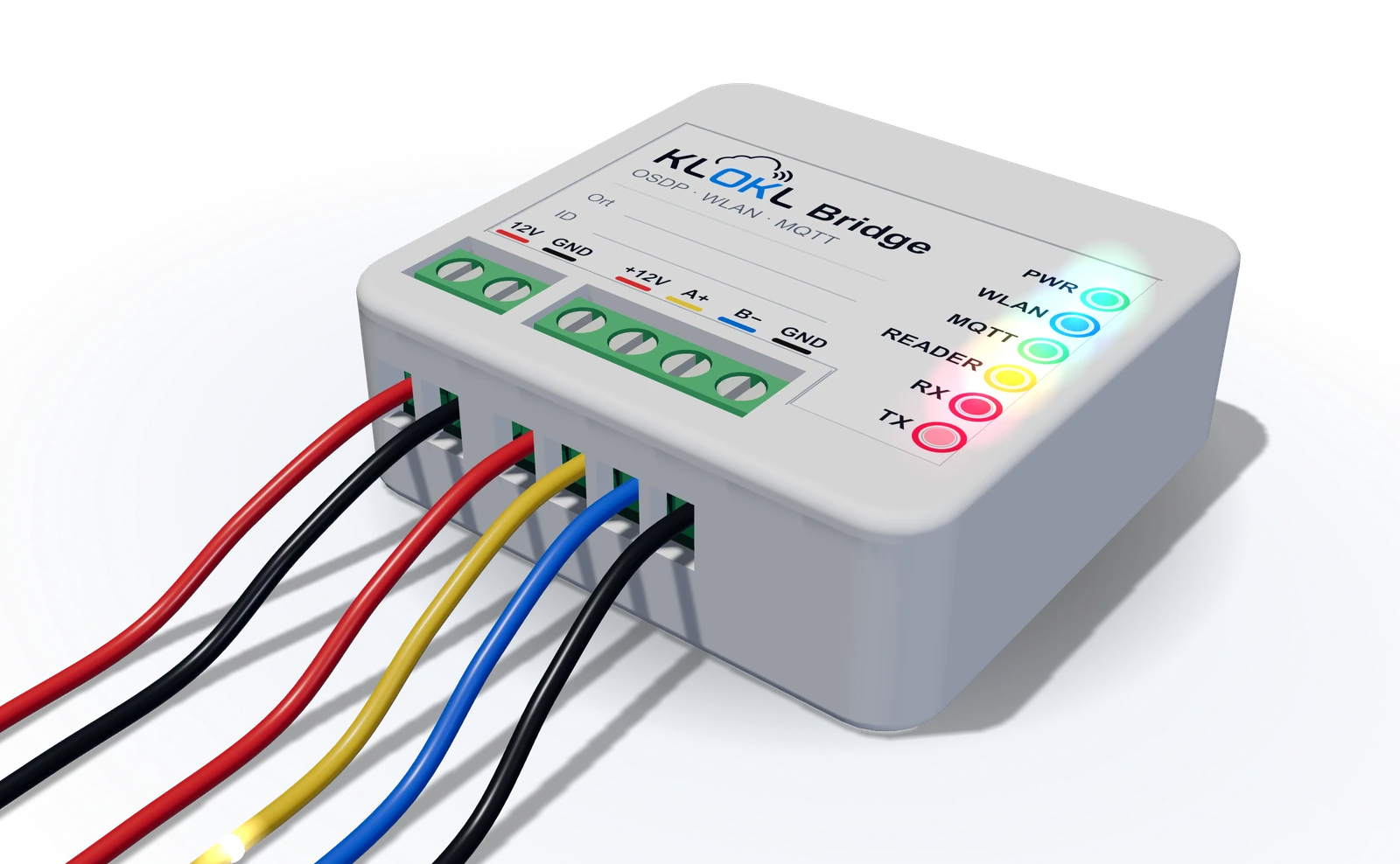
Speaks OSDP to the reader, checks the access code on the device as a second factor and publishes every event via MQTT.
…/card_data…/keypad…/pin_status…/cmd/feedback_okYour MQTT broker
For example the Mosquitto add-on in Home Assistant. Optionally encrypted with TLS (MQTTS).
- Front doorUnlocked
Home Assistant
Sensors and buttons appear by themselves. Your automation decides who gets in and opens the lock you already use.
What travels over your network
OSDPreader → bridge osdp_RAW card 0004958372MQTTbridge → broker osdp-reader-3f9a12/card_data "0004958372"MQTTbroker → Home Assistant osdp-reader-3f9a12/card_dataHAautomation: card 0004958372 is on the list → unlock, press Feedback OKMQTTHome Assistant → broker osdp-reader-3f9a12/cmd/feedback_ok "PRESS"MQTTbroker → bridge osdp-reader-3f9a12/cmd/feedback_okOSDPbridge → reader osdp_LED green + osdp_BUZWhat applies to your business?
Your customer data belongs to you, just like your door reader. Seven questions show which privacy duties apply to you and which package fits. Nothing is stored or sent.
Do you have employees?
Do you run a website with forms, analytics or a newsletter?
Do you use service providers such as cloud, IT support or payroll?
Do you have cameras, card readers or time recording?
Do you use AI tools such as chatbots or text generators?
Do you process health data or monitor people on a large scale?
Do you want an independent review of where you stand?
For management, investors or before a certification.
Your list
0/7 answeredAlways applies: answer data subject requests within a month and report data breaches within 72 hours.
Answer the questions and your list appears here, step by step.
Request an offerUp and running in an evening

Mount it. Into the flush-mount box behind the reader, or with the adapter onto the DIN rail in the distribution board.
Wire it. Four wires from the reader: +12 V, A+, B− and GND. 12 V from the power supply into the other terminal. The bridge powers the reader too.
Connect it. The bridge opens its own Wi-Fi called OSDP-Reader-Setup. Join it with your phone, pick your home network and enter your MQTT broker.
Automate it. Home Assistant finds the reader by itself. An automation checks the card and opens your lock, for example:
trigger:
  - platform: mqtt
    topic: osdp-reader-3f9a12/card_data
condition:
  - "{{ trigger.payload in ['0004958372'] }}"
action:
  - service: lock.unlock
    target: { entity_id: lock.front_door }
Be there for the first batch
We are preparing a first small production run and a crowdfunding campaign. Leave your email and we write once, when the bridge can be ordered.
First series in preparation
What do you need?
Three ways in, depending on where you stand.

Have it done for you
Quick check, audit, external data protection officer: what we take on and how we work.

Know the price
Packages from sole traders to businesses with cameras and staff, each at a fixed price.

Do it yourself
Templates for requests, notices and data breaches, free to copy or save as PDF.